
概要:
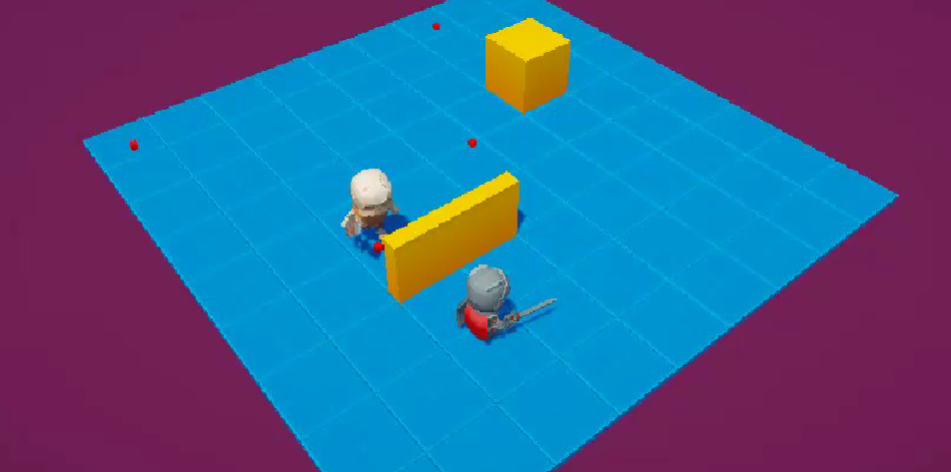
今回も敵の動作をBehaviorGraphで作成していきます!
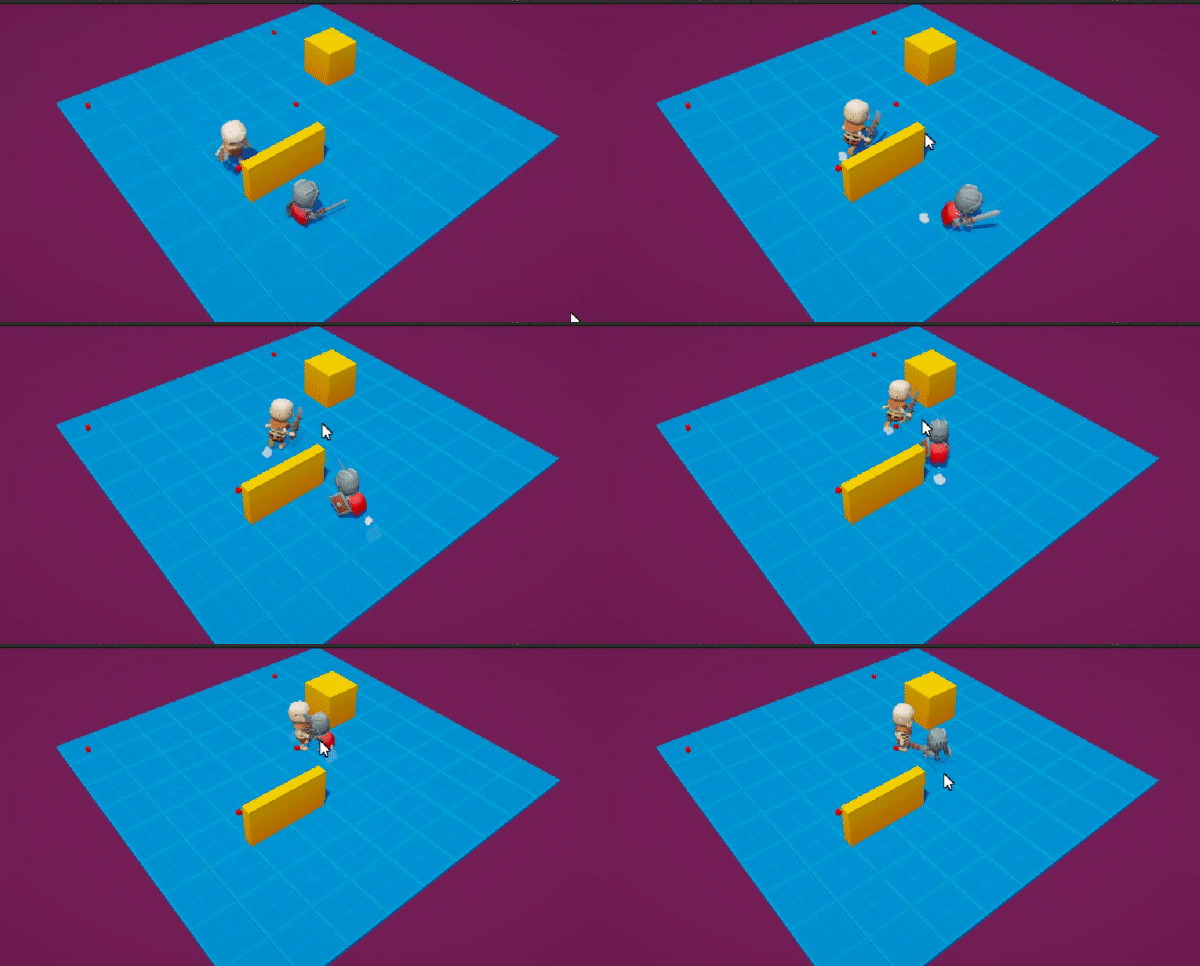
動作としては以下フローになります。
1)プレイヤーを見つけるまでは指定の場所を巡回する。
2)プレイヤーをみつけたら追いかける
3)プレイヤーに接近したら攻撃を行う
準備:
アセットをダウンロードしてUnityを開きます。
アセット:https://www.patreon.com/posts/117604296
Unity中で開くシーン:
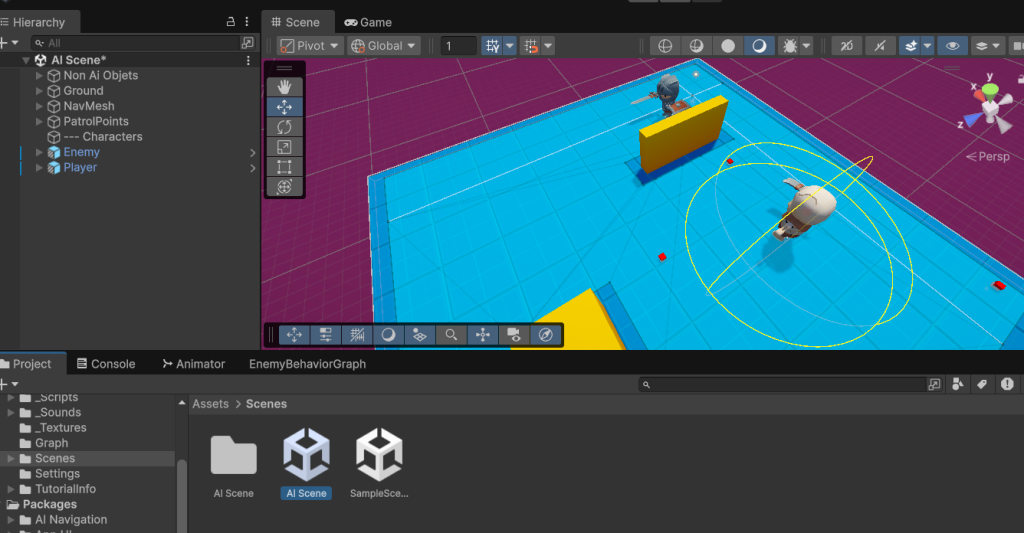
Assets/Scenes/AIScene
を開いておきます。
基本的な使い方やパッケージ導入などは前回の記事を参照
https://qitz-plus.x0.com/unitybehaviorgraph%e5%85%a5%e9%96%80%ef%bc%9a%e3%81%9d%e3%81%ae%ef%bc%91%ef%bc%88%e5%b0%8e%e5%85%a5%e7%b7%a8%ef%bc%89/
今回作成したBehaviorGraph:
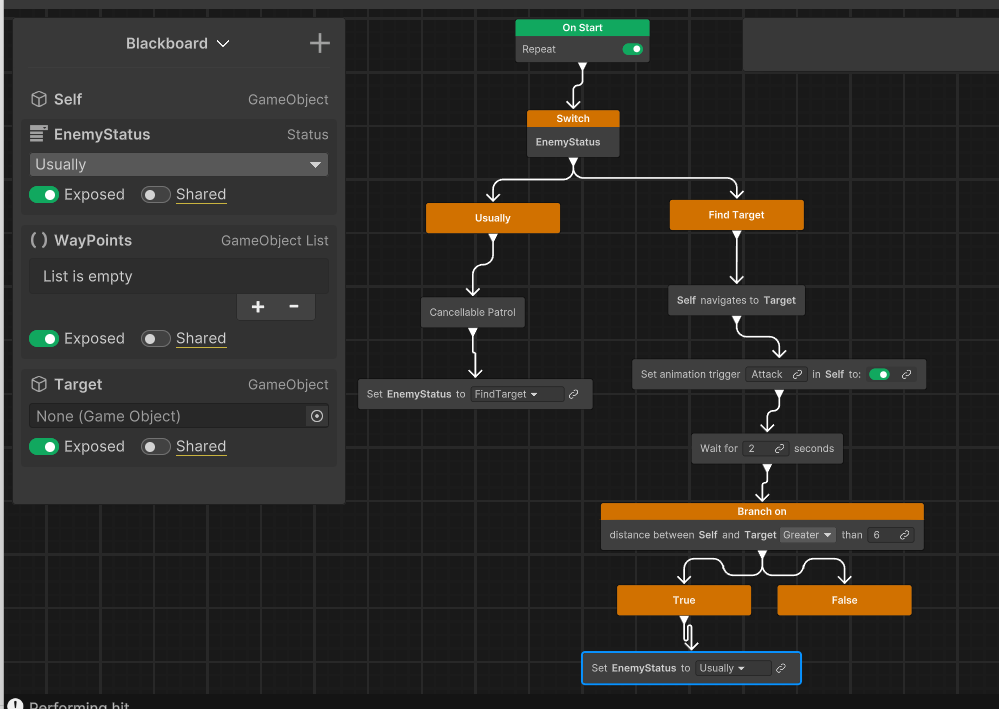
今回作成した敵の行動のBehaviorGraphはこちらになります!
作成したEnemyStatus解説:
BlackBordから「Create new enum type」を選択し新しくenumを作成します。
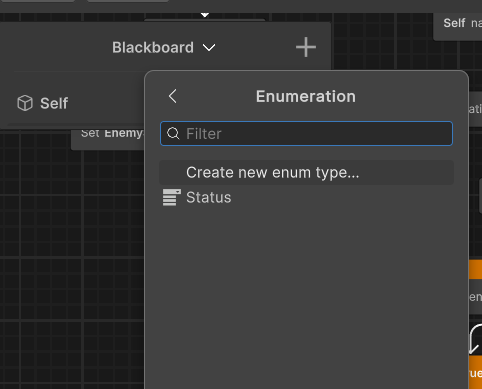
以下のように作成
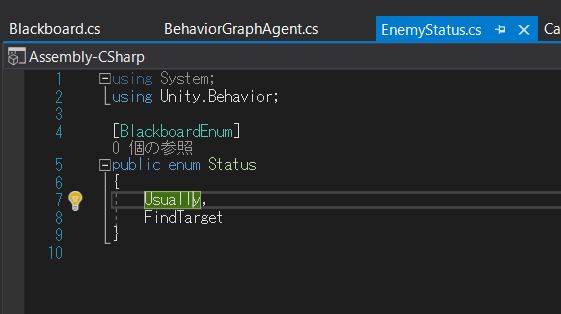
作成したGraph解説:
Graphの動作とフローはざっくり以下のような動きとなっています!
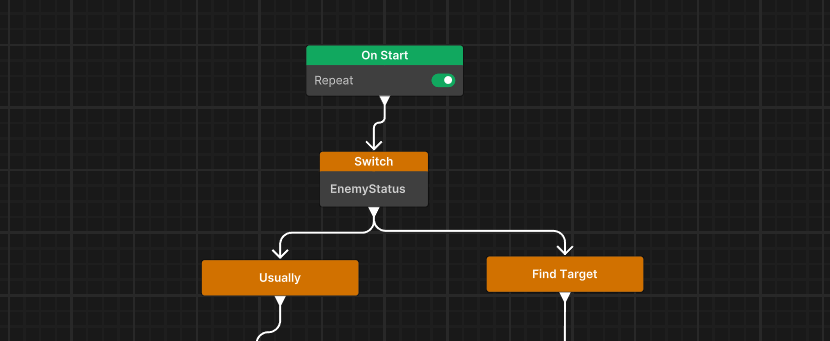
まずは、OnStart後にSwitchで「EnemyStatus」をみて
・「Usually」の場合はパトロールを実行
・「FindTarget」の場合は追撃を実行
するように分岐させています。
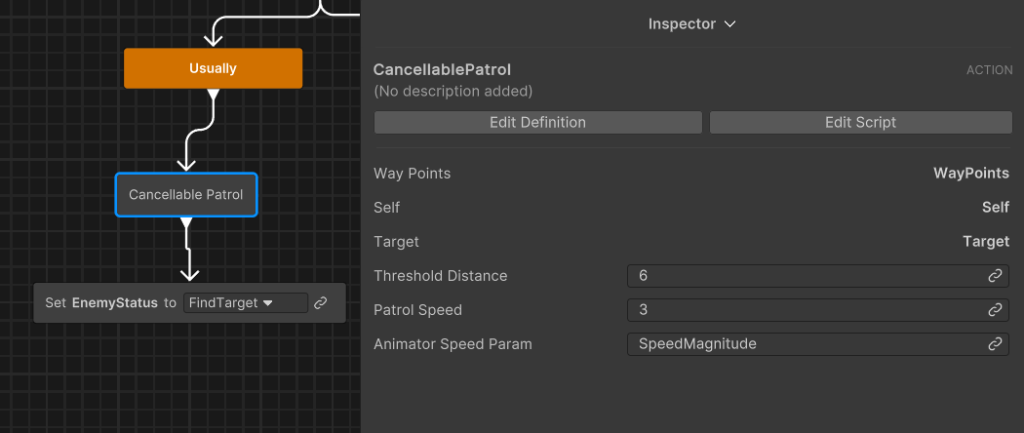
・「Usually」の場合は次の「CancellablePatrol」という新しく作成したActionに進みWayPointsを巡回します。
・Targetとの距離が「ThresholdDistance」以下になったら巡回をキャンセルして次のNodeに遷移します。
・SetEnemyStatusを「FindTarget」に切り替えます。
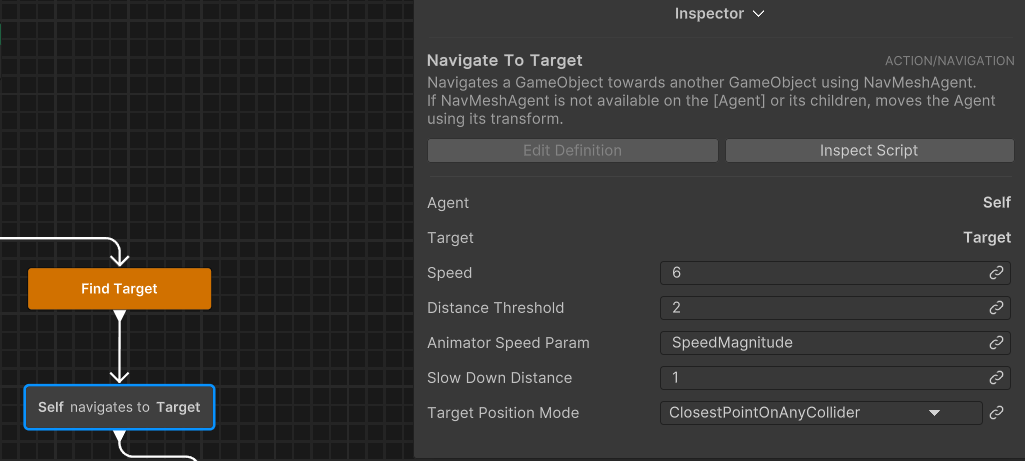
FindTarget以下のフローでは「navigate to」を使いTargetまで移動させています。
Inspectorで以下のように設定しています。
・Agent:Self
・Target:Target
・Speed:6:(敵が追いかけてくるときのスピード)
・DistanceThreshold:2:この距離を下回ると次のフローに進む
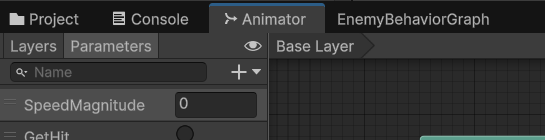
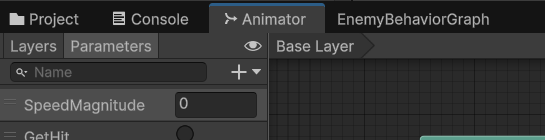
・AnimatorSpeedParam:SpeedMagnitude:Animatorで設定されているキャラクターSpeedのパラメーター名
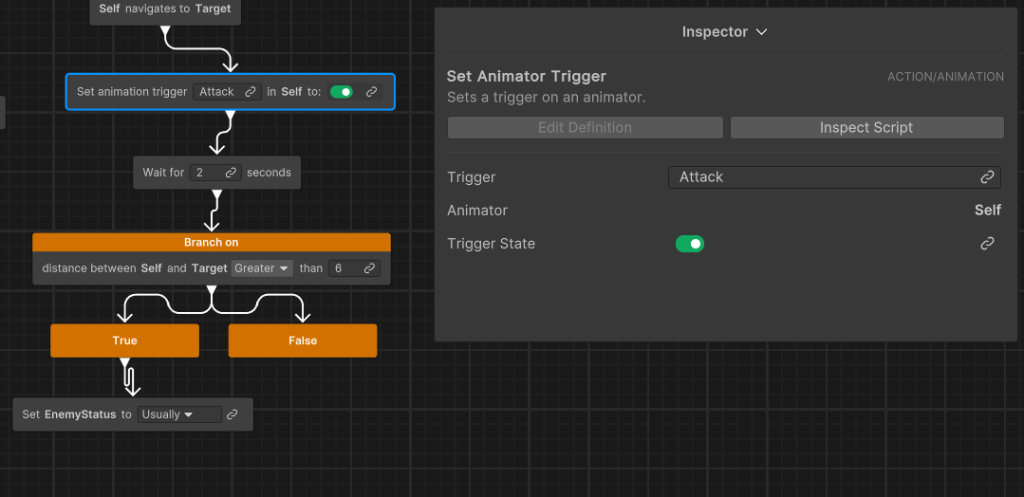
set animation triggerでは以下のようにInspectorで設定しています。
・Trigger:Attack
・Animator:Self
・TruggerState:ON
その後「Wait」で2秒待機します。(連続で実行するとTriggerが連続で実行されてアニメーションが再生されないので)
その後「Branch」を使いTargetとの距離が6以上はなれているか否かで判定分岐させます。
Trueの場合はSetEnemyStatusを「Usually」に切り替えます。
BrackBord解説:
以下のようにBlackboardを設定します。
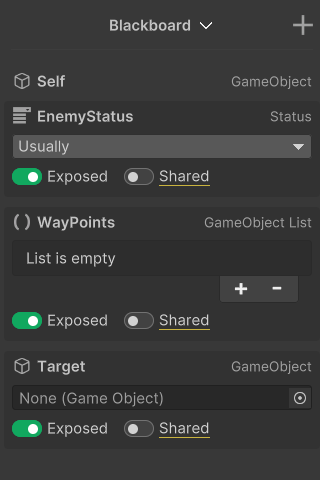
・Self:GameObject:自分自身を示すゲームオブジェクト
・EnemyStatus:Status:作成したEnumで敵の状態を示す
・WayPounts:GameObjectList:GameObjectのリストで敵が巡回する場所を指定します。
・Target:GameObject:Playerなど敵が追撃するTargetの参照
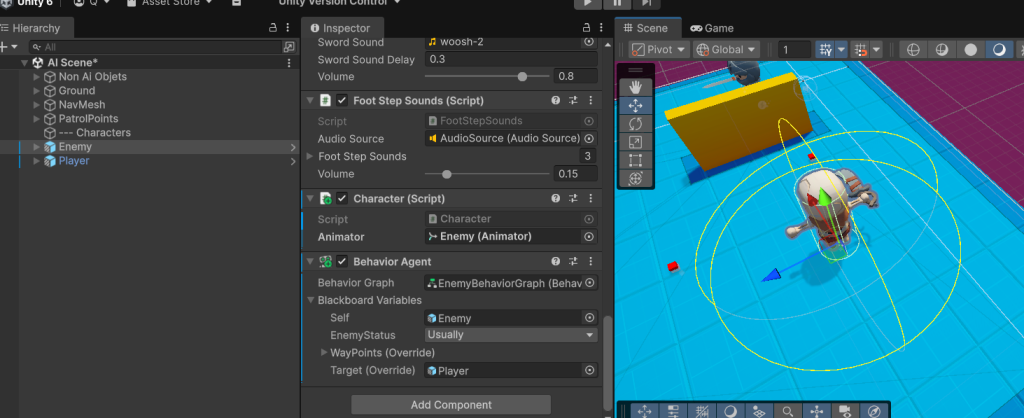
Hierarchyの中EnemyのInspectorでは以下のように設定しています。
・BehaviorAgentをアタッチする
・BehaviorGraphに先ほど作成したBehaviorGraphを指定する
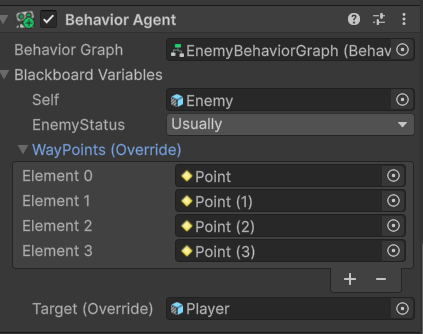
・BlackboardVariablesに以下のように設定
↓
作成したCancellablePatrol解説:
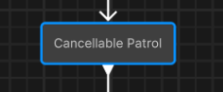
今回作成したActionのCamcellablePatrolは以下のように作成しました。
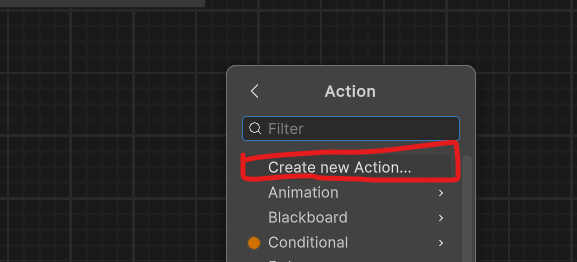
右クリック=>Add=>Action=>Create new Actionを選択
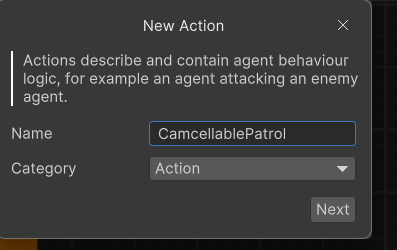
「CamcellablePatrol」という名前で作成しEditorで以下のようにスクリプトを組んでみました!
using System;
using Unity.Behavior;
using UnityEngine;
using Action = Unity.Behavior.Action;
using Unity.Properties;
using UnityEngine.AI;
using System.Collections.Generic;

[Serializable, GeneratePropertyBag]
[NodeDescription(name: "CancellablePatrol", story: "Cancellable Patrol", category: "Action", id: "533f21ff85abc15096db357c2039e9d2")]
public partial class CancellablePatrolAction : Action
{
    [SerializeReference] public BlackboardVariable<List<GameObject>> WayPoints;
    [SerializeReference] public BlackboardVariable<NavMeshAgent> Self;
    [SerializeReference] public BlackboardVariable<GameObject> Target;
    [SerializeReference] public BlackboardVariable<float> ThresholdDistance;
    [SerializeReference] public BlackboardVariable<float> PatrolSpeed;
    [SerializeReference] public BlackboardVariable<string> AnimatorSpeedParam;
    Animator animator;
    int destPoint = 0;

    protected override Status OnStart()
    {
        Self.Value.speed = PatrolSpeed;
        animator = Self.Value.GetComponent<Animator>();
        GotoNextPoint();
        return Status.Running;
    }

    void GotoNextPoint()
    {
        if (WayPoints.Value.Count == 0)
            return;

        Self.Value.destination = WayPoints.Value[destPoint].transform.position;

        destPoint = (destPoint + 1) % WayPoints.Value.Count;
    }

    protected override Status OnUpdate()
    {
        float currentDistance = Vector3.Distance(Target.Value.transform.position, Self.Value.transform.position);
        if(currentDistance < ThresholdDistance.Value)
        {
            return Status.Success;
        }
        animator.SetFloat(AnimatorSpeedParam.Value, Self.Value.speed);
        if (!Self.Value.pathPending && Self.Value.remainingDistance < 0.5f)
        {
            GotoNextPoint();
        }
        return Status.Running;
    }

    protected override void OnEnd()
    {
    }
}
No responses yet